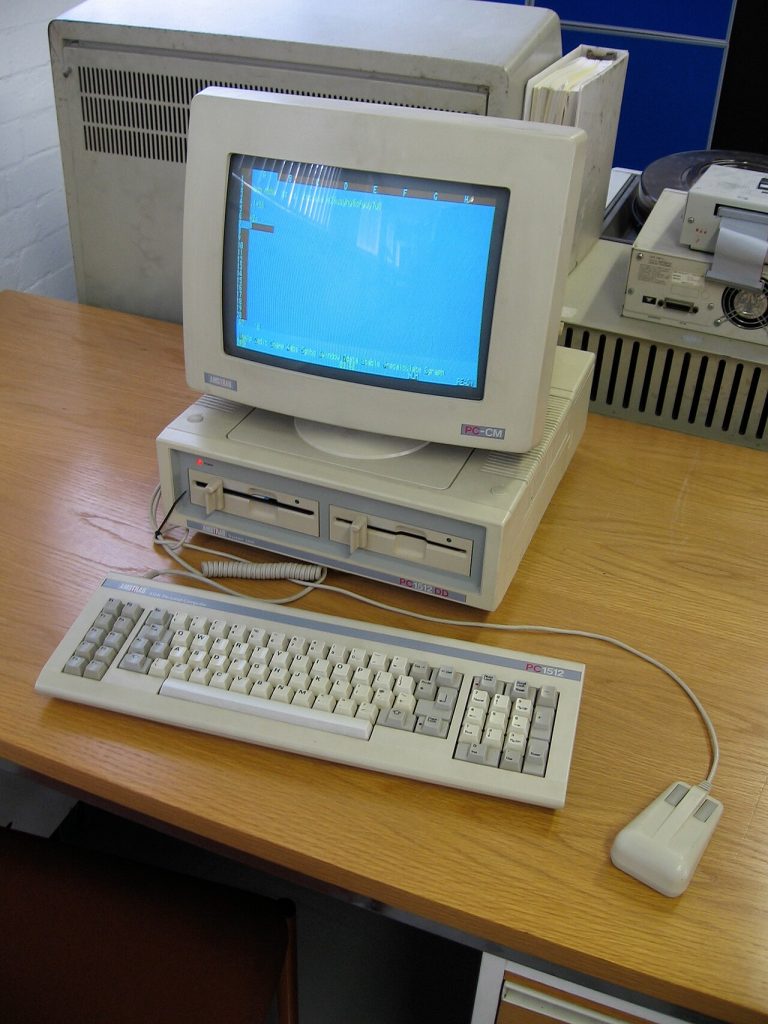

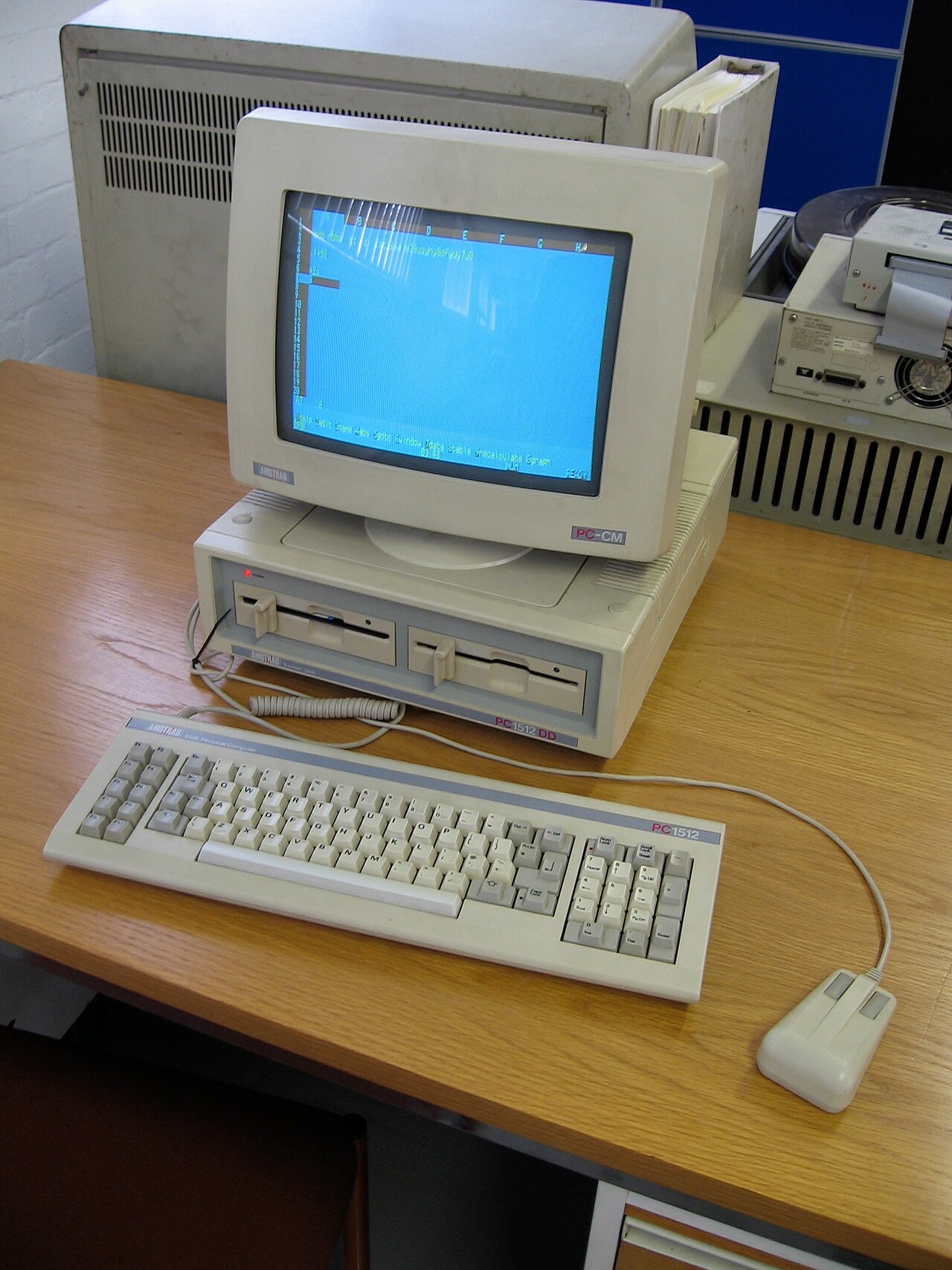
After the BBC Micro at school and the Amstrad CPC 464 at home, there was one more big step: my first “proper” IBM-compatible PC. It was an Amstrad PC1512, and it was the machine that took me from playing games and typing in BASIC to organising files, running real software, and going online for the first time. This is the first in a series about the PCs I’ve owned. Later posts will cover the machines that came after it.
My story: another brilliant Christmas
Once again it was my dad who made it happen. The PC1512 was a Christmas present while I was in my third year of secondary school, and it was the full works: MS-DOS 3.2, the GEM desktop, and a 20 MB fixed disk (what we’d now call a hard drive). Mine came bundled with GW-BASIC and the Ability Plus integrated suite, so it was ready for programming and “serious” work straight out of the box.
Twenty megabytes sounded endless. I remember sitting in class with a friend, planning out the directory structures we would set up on our hard disks, a folder for this and a sub-folder for that, and agreeing there was no way we would ever fill 20 MB. Today a minute of video on a phone takes up far more than that.
A short history of the Amstrad PC1512
In the mid-1980s, a PC that could run the same software as IBM’s business machines cost well over £1,000, and was mostly found in offices. Alan Sugar’s Amstrad did what it had done with the CPC: it built a complete, low-cost system and sold it on the high street. The PC1512 arrived in 1986, advertised at £399 plus VAT for the basic model with one floppy drive and a mono monitor. The top model, the HD20 with a 20 MB hard disk, was about £689 plus VAT with a mono monitor or £819 with colour.
As with the CPC, the power supply was built into the monitor, so the system unit didn’t need a fan. Rumours spread that it would overheat. It didn’t, but Alan Sugar added a fan to the hard disk models anyway, just to stop the stories. The PC1512 sold very well, bringing PC-compatible computing into homes and small businesses that could never have afforded it before. It was followed in 1987 by the PC1640, with 640 KB of memory and better graphics.
What was inside
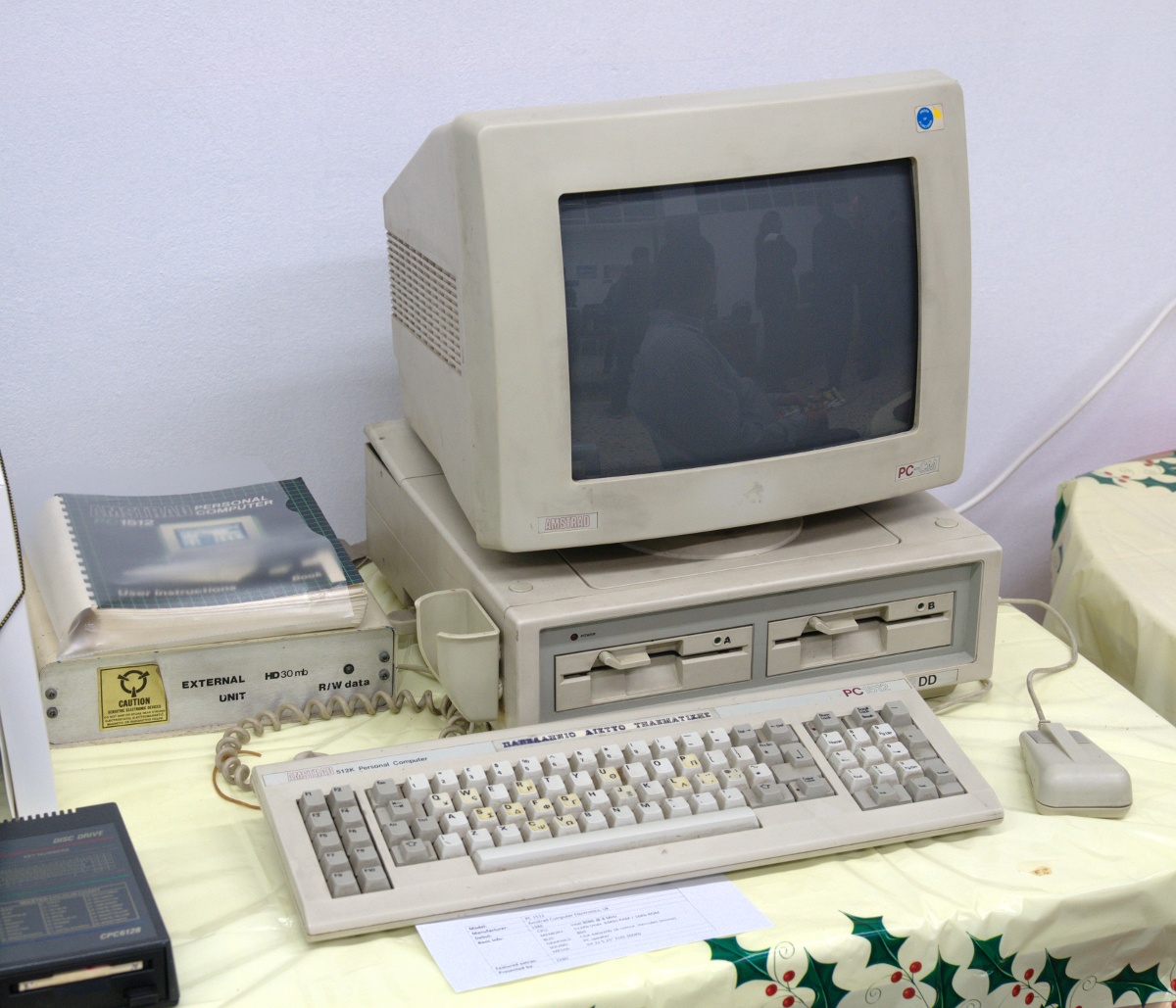
| Feature | Amstrad PC1512 (1986) |
|---|---|
| Processor (CPU) | Intel 8086, 16-bit, 8 MHz |
| RAM | 512 KB, expandable to 640 KB |
| Graphics | CGA compatible, plus an Amstrad extra mode with all 16 colours at 640×200 |
| Storage | One or two 360 KB 5.25-inch floppy drives, or one floppy plus a 10 MB or 20 MB hard disk (HD10 / HD20) |
| Operating systems | MS-DOS 3.2 and Digital Research’s DOS Plus |
| Graphical desktop | GEM (Graphics Environment Manager) from Digital Research |
| Input | Keyboard, Amstrad mouse, and a joystick port on the keyboard |
| Power | Power supply built into the monitor |
| Price | From £399 plus VAT; HD20 about £689 (mono) or £819 (colour) plus VAT |
There’s a nice GCSE comparison here. A 20 MB hard disk holds about 20 million bytes. A cheap 1 TB drive today holds a million megabytes, so it’s around 50,000 times bigger. And 512 KB of RAM is roughly 1/16,000th of the 8 GB in a typical laptop.
The software
MS-DOS 3.2 and the GEM desktop
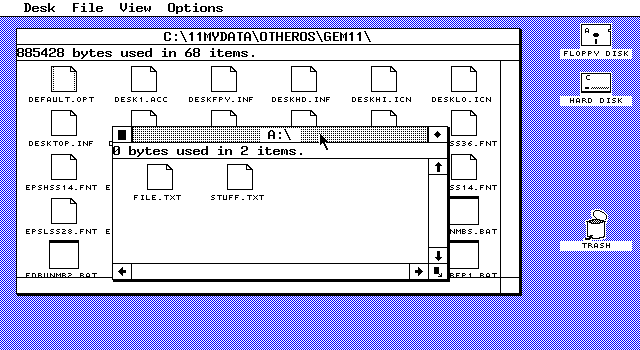
The PC1512 gave you two ways to work. MS-DOS was a command-line interface: you typed commands such as DIR, CD and COPY at the C:\> prompt. GEM was a graphical user interface from Digital Research, with windows, icons, menus and a pointer (WIMP), driven by the Amstrad mouse. It’s the perfect real example of the CLI versus GUI comparison in GCSE Computer Science: the command line was faster once you knew it, and the desktop was easier for beginners. Years later GEM’s code was released as free software under the GPL, which is why screenshots of it can be shared freely today.
GW-BASIC
GW-BASIC was Microsoft’s BASIC for PC compatibles: line numbers, GOTO, GOSUB and all. After Locomotive BASIC on the CPC it felt familiar, and it was where I kept practising. In 2020 Microsoft published the original GW-BASIC source code on GitHub. If you want to try it today, PC-BASIC is a free GW-BASIC-compatible interpreter, and it’s written in Python.
Ability Plus
Ability Plus was an integrated suite: word processor, spreadsheet, database and communications in one program, all sharing data with each other. It was widely bundled with the PC1512 and PC1640, and for a lot of people it was their first taste of what we’d now call office software.
PC Tools and Norton Utilities
Two utility packages were essential. PC Tools from Central Point Software had a file manager that could stay loaded in memory as a TSR (“terminate and stay resident”) program: you pressed a hot key and it popped up over whatever else you were doing. In a single-tasking system like DOS that felt like magic. Norton Utilities was the rescue kit. Its tools could bring back deleted files and repair damaged discs, and more than once it saved work I thought I’d lost.
The games
The PC1512’s CGA-style graphics meant games often used just four colours, but the games themselves were brilliant. These were my favourites.
Psi-5 Trading Company (Accolade)
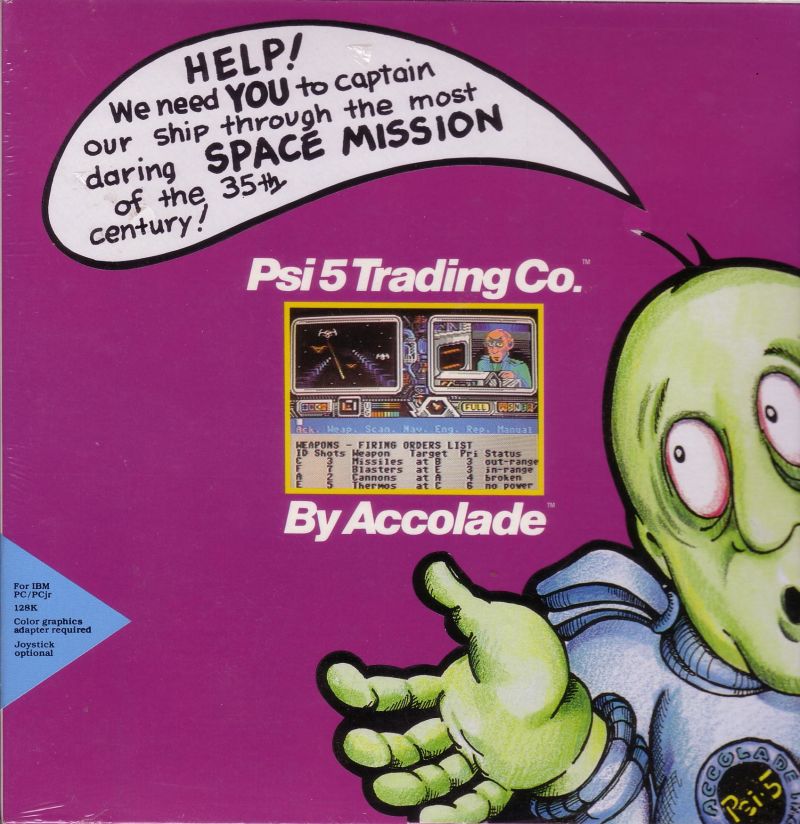
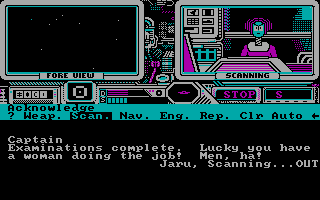
A space trading game from Accolade where the crew mattered as much as the cargo. You picked five crew members from 30 applicants, each with their own skills and personality, then flew a freighter through dangerous space, managing their reports and decisions as pirates attacked.
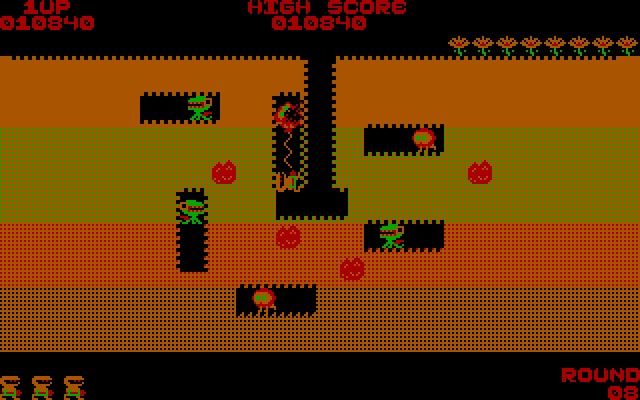
Dig Dug
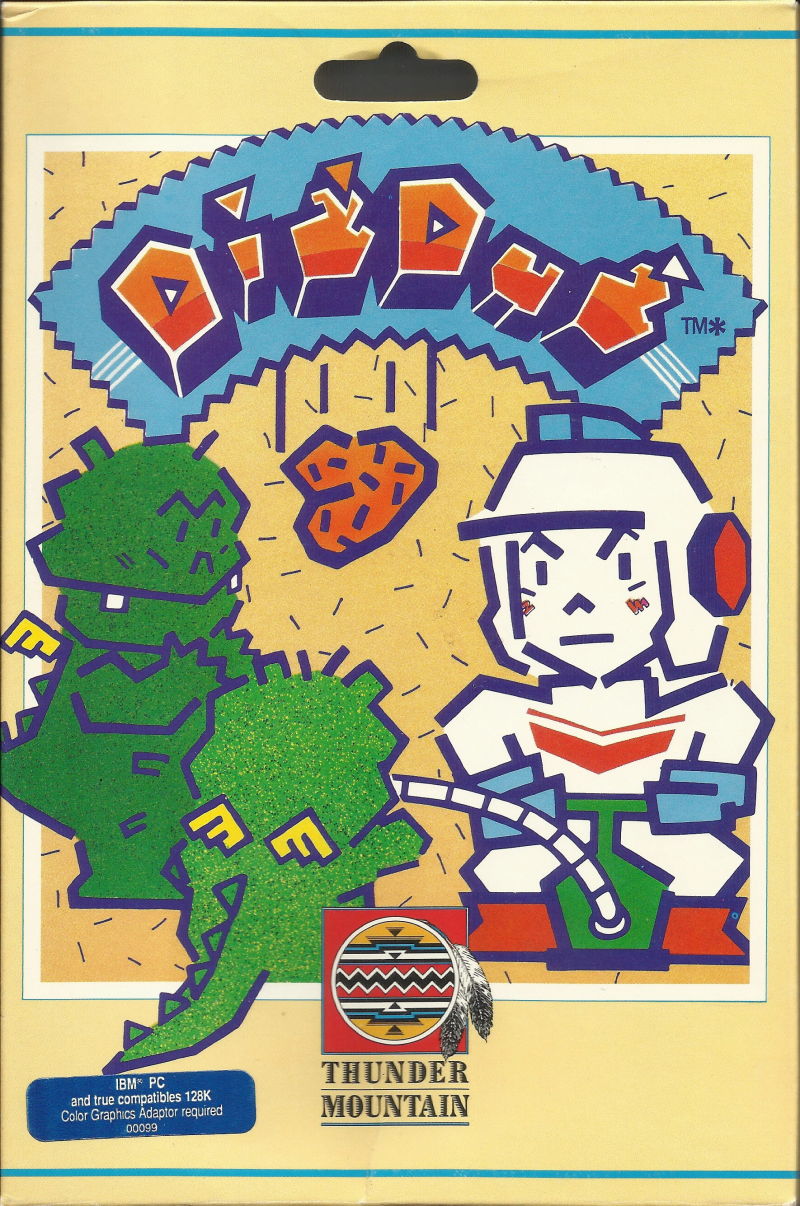
Namco’s 1982 arcade classic on the PC. You dig tunnels through the earth and deal with the monsters that chase you, either by pumping them up until they pop or by dropping rocks on them.
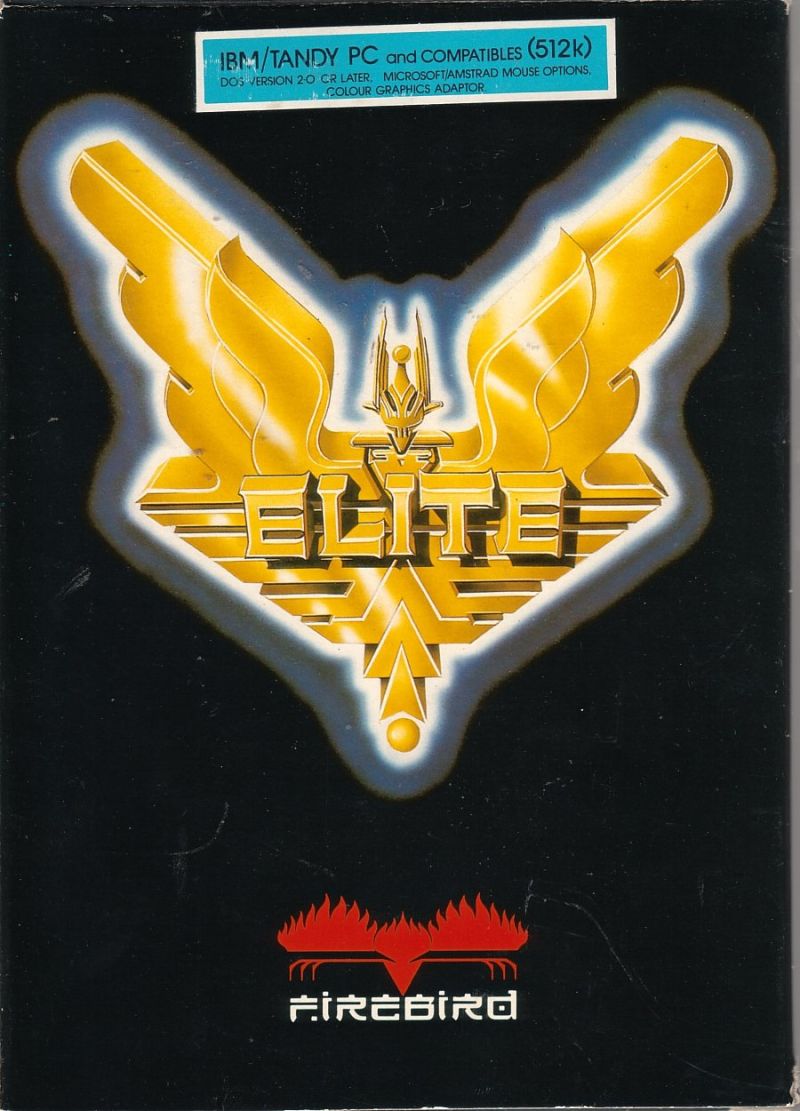
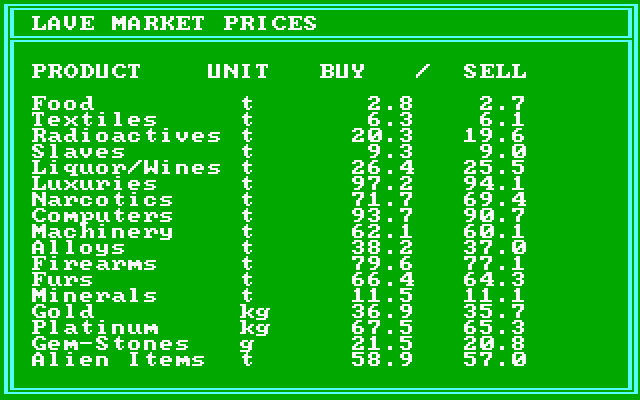
Elite (Firebird)
Ian Bell and David Braben’s legendary space trading game, which started life on the BBC Micro in 1984. You begin as a “Harmless” pilot with 100 credits, trade goods between planets, fight pirates in wireframe 3D, and try to reach the rank of Elite. Firebird published the PC version, and I lost a lot of evenings to it.
Rogue
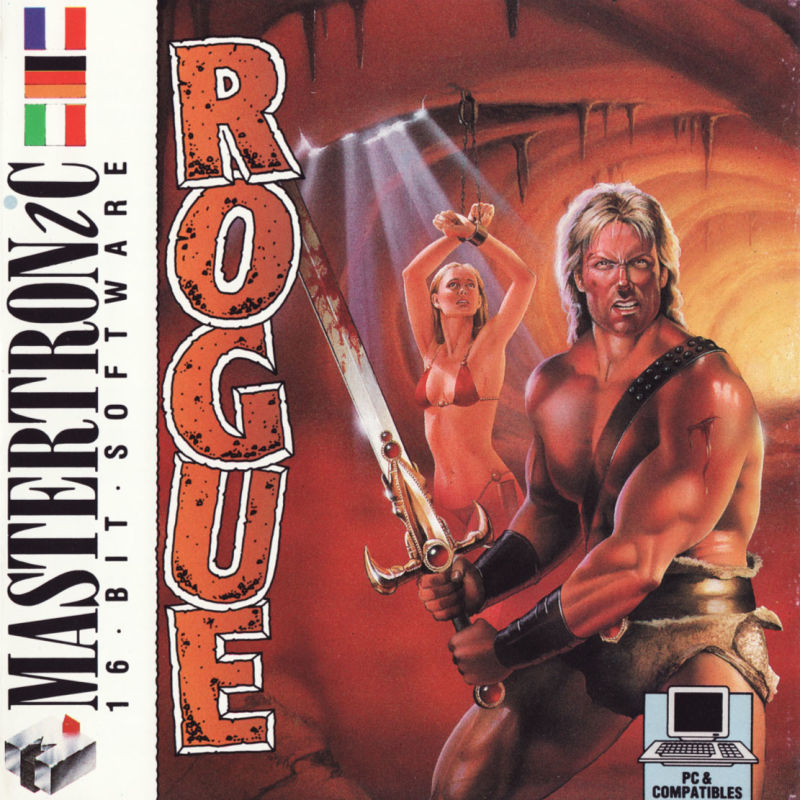
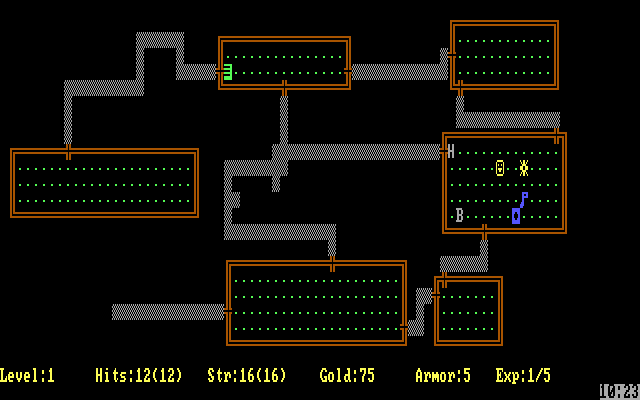
Rogue began around 1980 on Unix computers, and the PC version came from A.I. Design and Epyx. You explore a dungeon drawn out of text characters, and the dungeon is generated randomly every time you play. When you die, that’s it: you start again from scratch. It was so influential that a whole genre, the “roguelike”, is named after it.
Green Beret (Imagine)
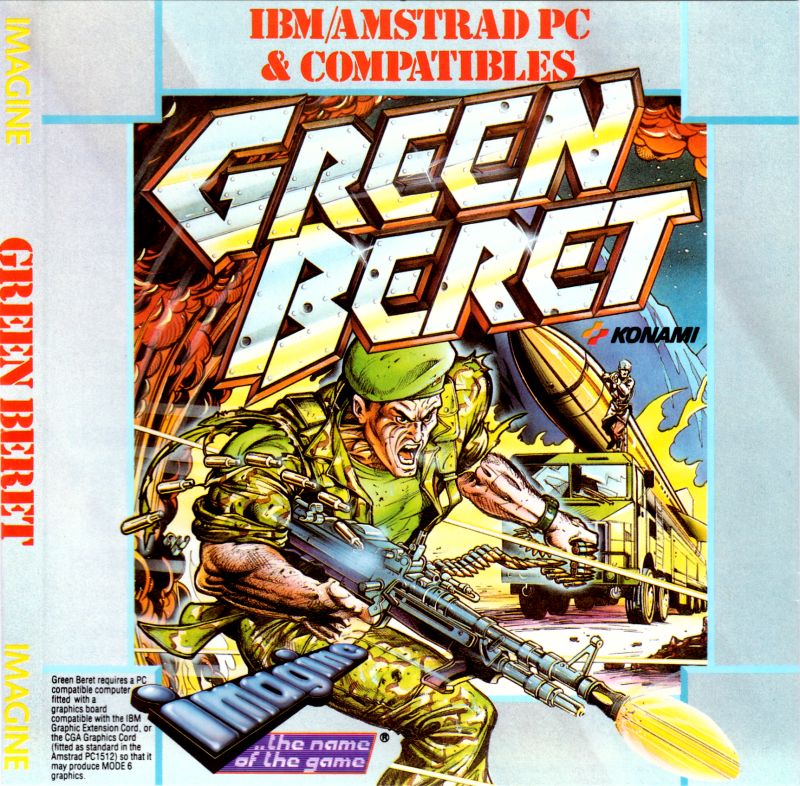
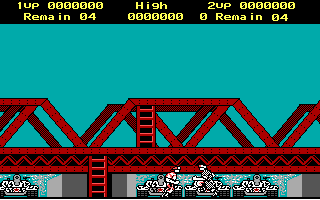
Konami’s 1985 arcade game, known as Rush’n Attack in America, converted for the PC by Imagine. You charge through an enemy base armed mainly with a knife, picking up heavier weapons along the way. The box proudly says “IBM/Amstrad PC & Compatibles”, which shows how big the Amstrad PCs had become.
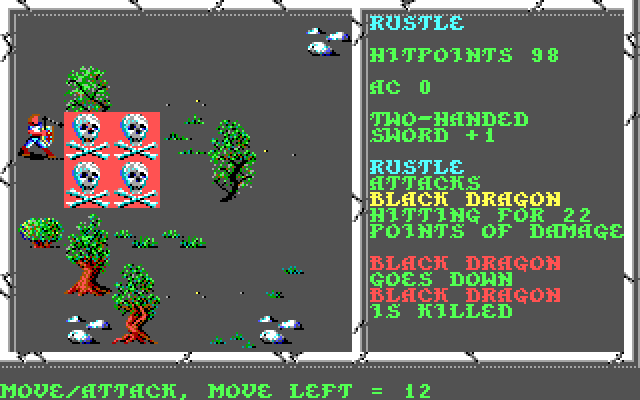
Curse of the Azure Bonds (SSI, 1989)
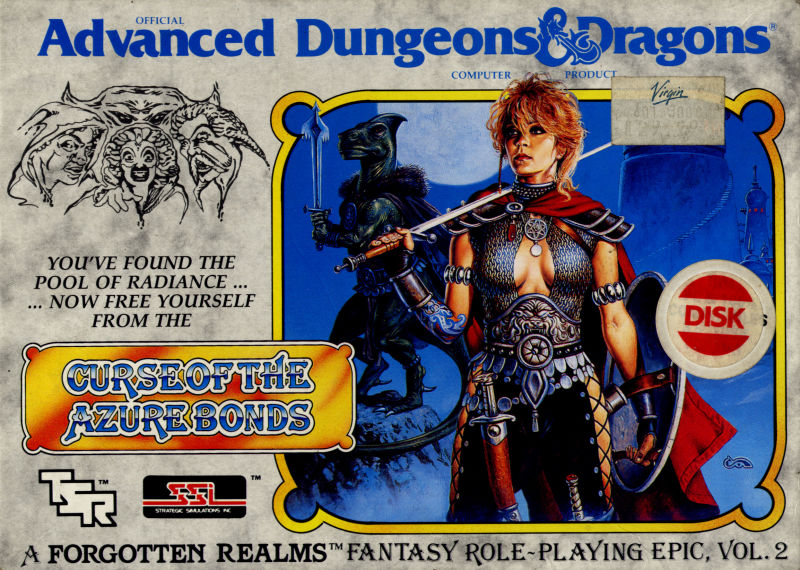
My favourite of all. The second of SSI’s “Gold Box” Advanced Dungeons & Dragons games, set in the Forgotten Realms and following on from Pool of Radiance. Your party wakes up with mysterious blue symbols, the azure bonds, burned into their arms, and the adventure is about finding out who put them there and breaking their power. It had turn-based tactical combat and a huge story to get lost in.
[Add a memory here: why Curse of the Azure Bonds was your favourite.]
Getting online: modems and bulletin boards
The PC1512 was the first computer I got online with. Long before the web, I had an external Hayes-compatible modem running at 2400 baud, connected to the PC’s serial port and to the phone line. “Hayes-compatible” meant it understood the AT commands that Hayes had made the standard, so you could type something like ATDT followed by a phone number and the modem would dial out. Then came the famous screech as the two modems agreed how to talk.
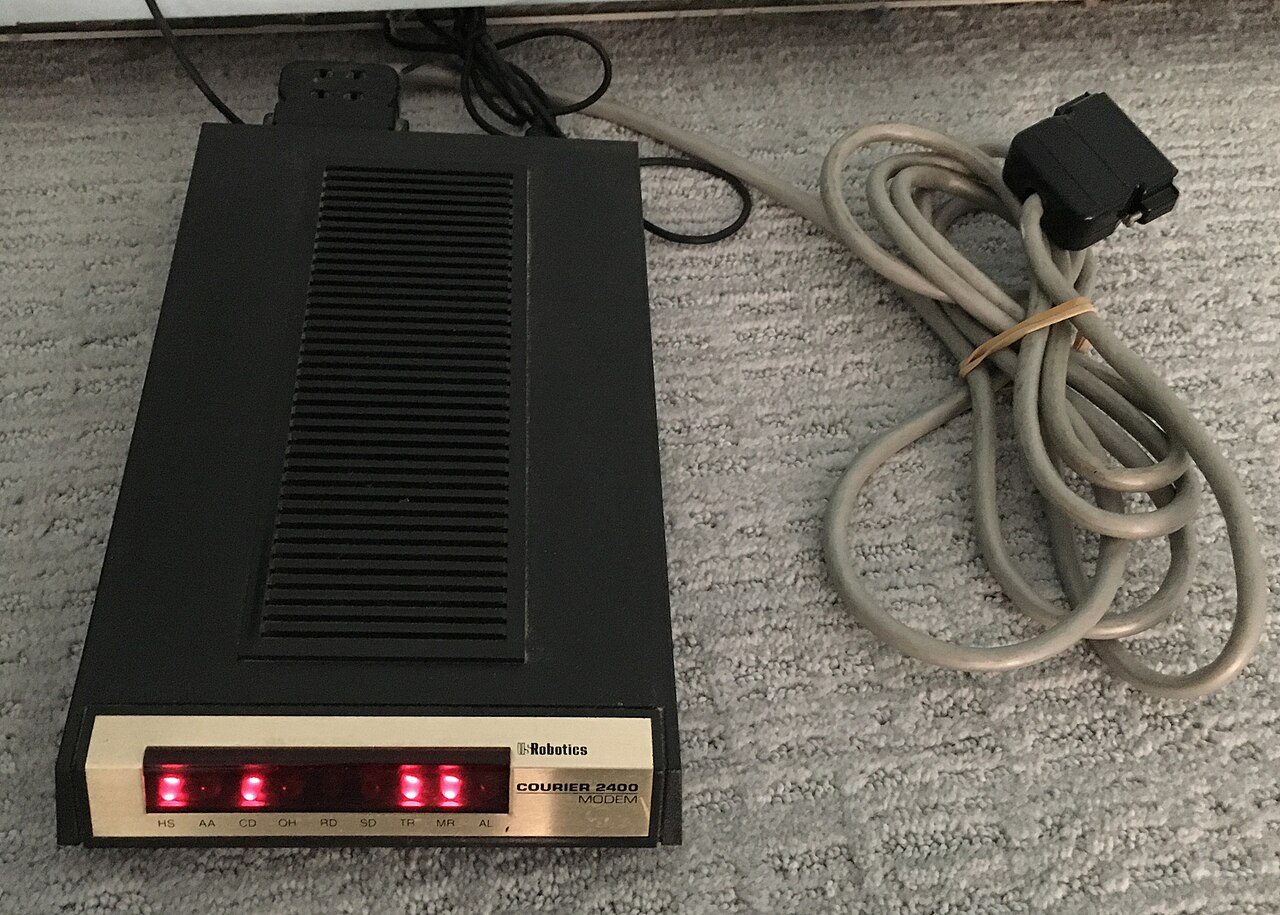
Here’s a nice bit of GCSE maths. At 2400 bits per second, with a start and stop bit around every byte, you got about 240 bytes per second. A full 360 KB floppy disk (368,640 bytes) therefore took about 1,536 seconds, more than 25 minutes, and every minute was on the phone bill. Today’s broadband can move the same amount of data in a fraction of a second.
What you dialled into was a bulletin board system, or BBS: usually someone’s computer at home with a modem on its own phone line. Only one person could be connected at a time, so you’d often get the engaged tone and try again. Once you were in, there were message boards, files to download, and text-based menus in garish ANSI colours. The board I called most was one called SEMAJ.
A teenager’s view of “hacking”
Like plenty of curious teenagers on the BBS scene, I downloaded text files full of “hacking” information, including plans for black boxes, devices that phone phreakers claimed could make calls without being charged. This was also the era of Hugo Cornwall’s The Hacker’s Handbook. Hugo Cornwall was the pen name of Peter Sommer, now a professor of digital forensics, and the book went through four editions between 1985 and 1990. It was a sort of guide to the hidden world of computer networks, and it was everywhere.
This is where the teacher in me has to add a note. In 1985 two men, Robert Schifreen and Stephen Gold, got into BT’s Prestel system, famously including the Duke of Edinburgh’s mailbox. They were eventually cleared on appeal, because there was no law that clearly covered what they had done. That case led directly to the Computer Misuse Act 1990, which you study at GCSE. It made it a crime to access a computer without permission, to do so intending to commit a further crime, and to change data or programs without permission. Using those skills legally is now a career: ethical hackers and penetration testers are paid to find weaknesses before criminals do.
PC Plus and dreaming of a 286
Every month I read PC Plus, from Future Publishing. It had started life in 1986 as a magazine for Amstrad PC owners, before growing into one of the UK’s biggest PC magazines, and it ran all the way to 2012. It was full of reviews, tips and adverts for upgrades, and I spent hours dreaming about a 286: a PC built around Intel’s faster 80286 processor, the chip in IBM’s PC/AT, which could run software my 8086 could only dream of.
That dream did come true eventually, but that’s a story for the next post in this series.
Try it yourself
You can get a feel for MS-DOS in your browser. I’ve put a PC emulator on this site that runs DOSBox and boots straight to a C:\> prompt. It isn’t a PC1512 and it doesn’t have GEM or GW-BASIC, but the commands are the same ones I typed every day.
Click the screen first so it gets your keyboard, then press Enter after each line.
1. Build a directory structure
MD GAMES
MD WORK
CD WORK
MD SCHOOL
DIR
CD ..
DIR
MD makes a directory (a folder), CD changes into one, CD .. goes back up a level, and DIR lists what’s there. You’ve just built a small tree of folders, exactly the kind of structure my friend and I planned in class.
2. Write a batch program
COPY CON HI.BAT
@ECHO OFF
ECHO Hello from DOS!
VER
DIR /W
After the last line, press Ctrl+Z and then Enter to save the file. Now type HI to run it. A batch file is a simple program: a list of DOS commands that run in sequence, one after another. Type TYPE HI.BAT to see your code.
Did you have a PC1512, or dial into BBSs? Leave a comment below. I’d love to hear your stories.