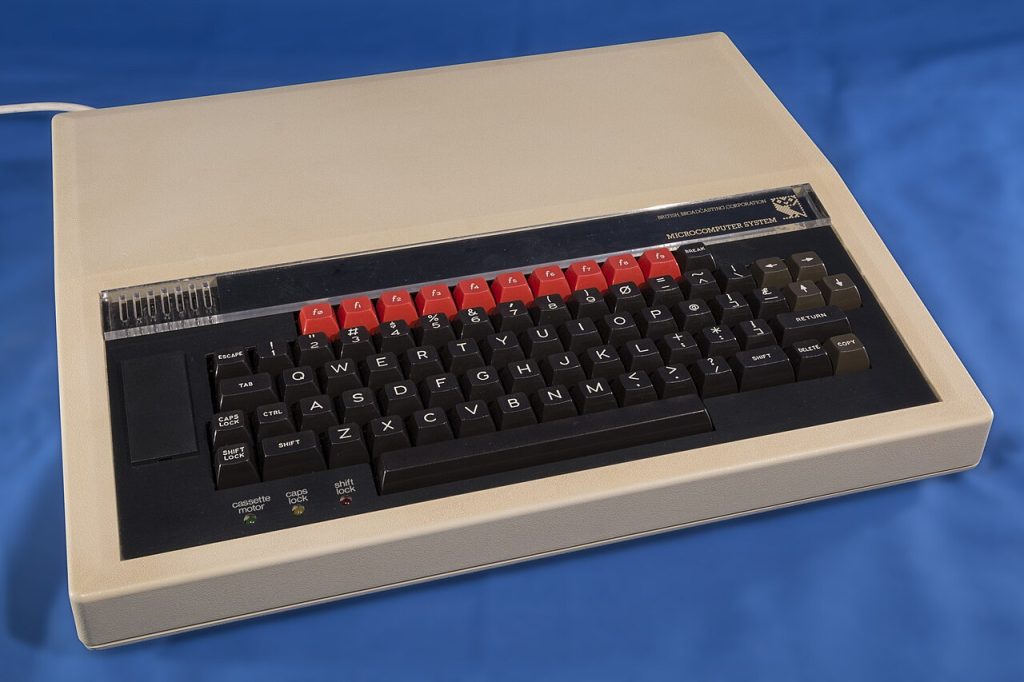

If you went to school in the UK in the 1980s or early 1990s, there’s a good chance you remember a cream-coloured computer with a black keyboard and a row of bright red function keys. That was the BBC Micro, and for a whole generation of us it was the first computer we ever used. In this post I want to share how I met it, a bit of its history, what was inside it, and the Model B that sits on my desk today. At the end there’s a link to an emulator so you can try it for yourself.
My story: Econet at Dawlish
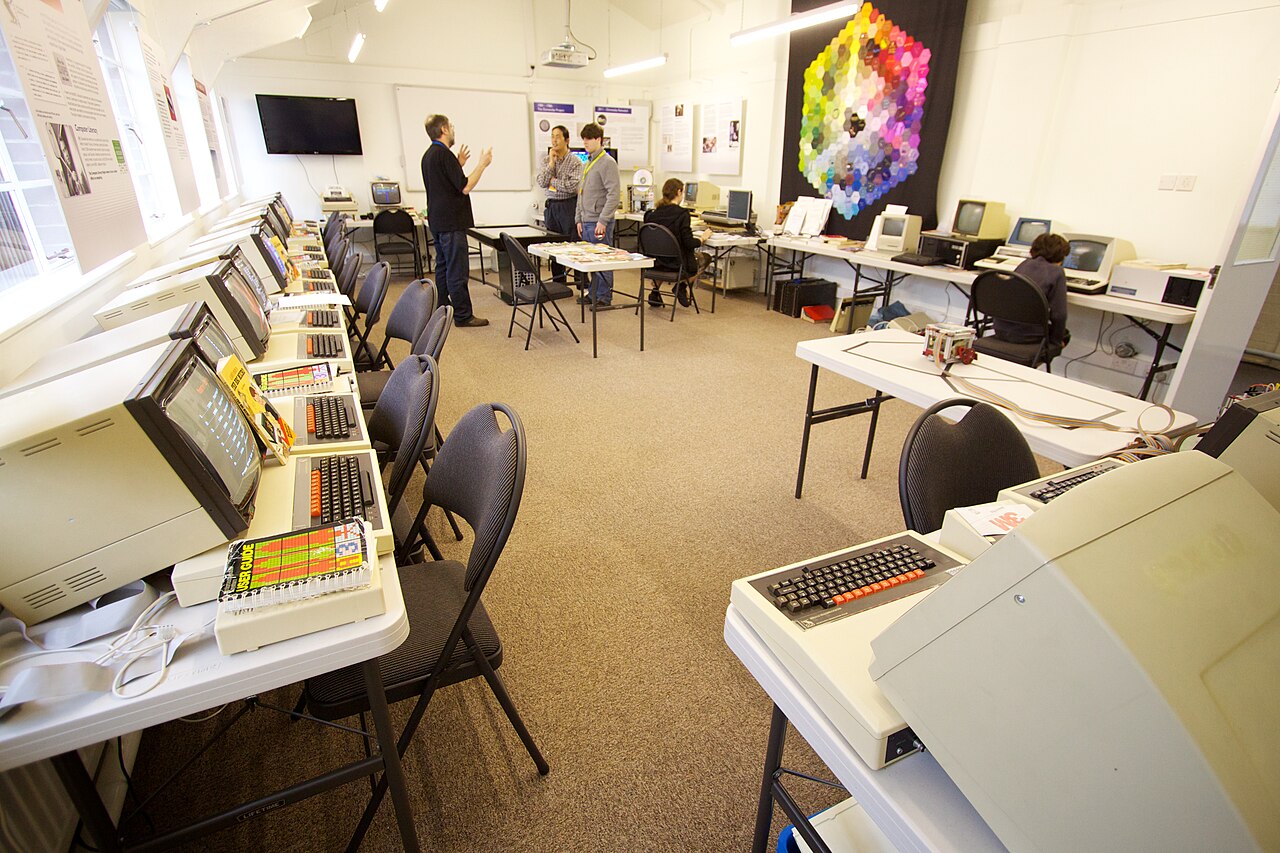
I first used BBC computers as a pupil at Dawlish Community College in Devon, where I was at school from 1988 to 1993. Like many schools then, we didn’t have a few machines dotted around. We had a computer room full of BBC Micros, all linked together on an Econet network.
Like a lot of pupils back then, I loved the adventure games. Two favourites were Granny’s Garden (4Mation, 1983), written by teacher Mike Matson, where you entered the Kingdom of the Mountains to rescue six royal children while staying out of the way of a wicked witch, and Anita Straker’s Martello Tower (1984), where you were trapped in an old tower and had to solve maths and logic puzzles to escape to the sea.
What was Econet?
Econet was Acorn’s own low-cost local area network, designed for schools and small businesses. Each BBC Micro could have an Econet interface fitted, and a socket on the back connected it to a simple five-wire cable that ran around the room. One machine with disc drives acted as the file server, storing everyone’s work in one place, and a printer server let the whole room share a printer.
That was a big deal. Disc drives and printers were expensive, so a school couldn’t give every desk its own. With Econet, a room of machines could share one set of storage and one printer, and pupils could log in and get their own files from any seat. If you study networks for GCSE today, Econet is a nice real-world example of a LAN with a client–server model, a shared bus and shared resources, decades before Wi-Fi and the cloud.
The book nobody had borrowed
Acorn’s simplest file server was called Level 1. It was software that ran on an ordinary BBC Micro with a disc drive, turning that one machine into the store that every other computer on the Econet network saved to and loaded from.
One day I found a book in the school library that had been bought by mistake. Nobody had ever borrowed it before. I took it out, and using that book I wrote my own Level 1 Econet file server.
A short history of the BBC Micro
In the late 1970s people were starting to worry that Britain wasn’t ready for the microchip. The BBC responded with the Computer Literacy Project: TV series, books and courses to help ordinary people understand computers. To go with the programmes, the BBC wanted a computer that viewers and schools could actually buy, so that what they saw on screen could be tried at home or in class.
The BBC talked to several British companies, including Sinclair Research, Newbury Laboratories, Tangerine and Dragon Data. In early 1981 it chose Acorn Computers of Cambridge, whose prototype, codenamed Proton, became the “BBC Microcomputer System”. The machine launched in December 1981, though production problems meant most people didn’t get theirs until 1982.
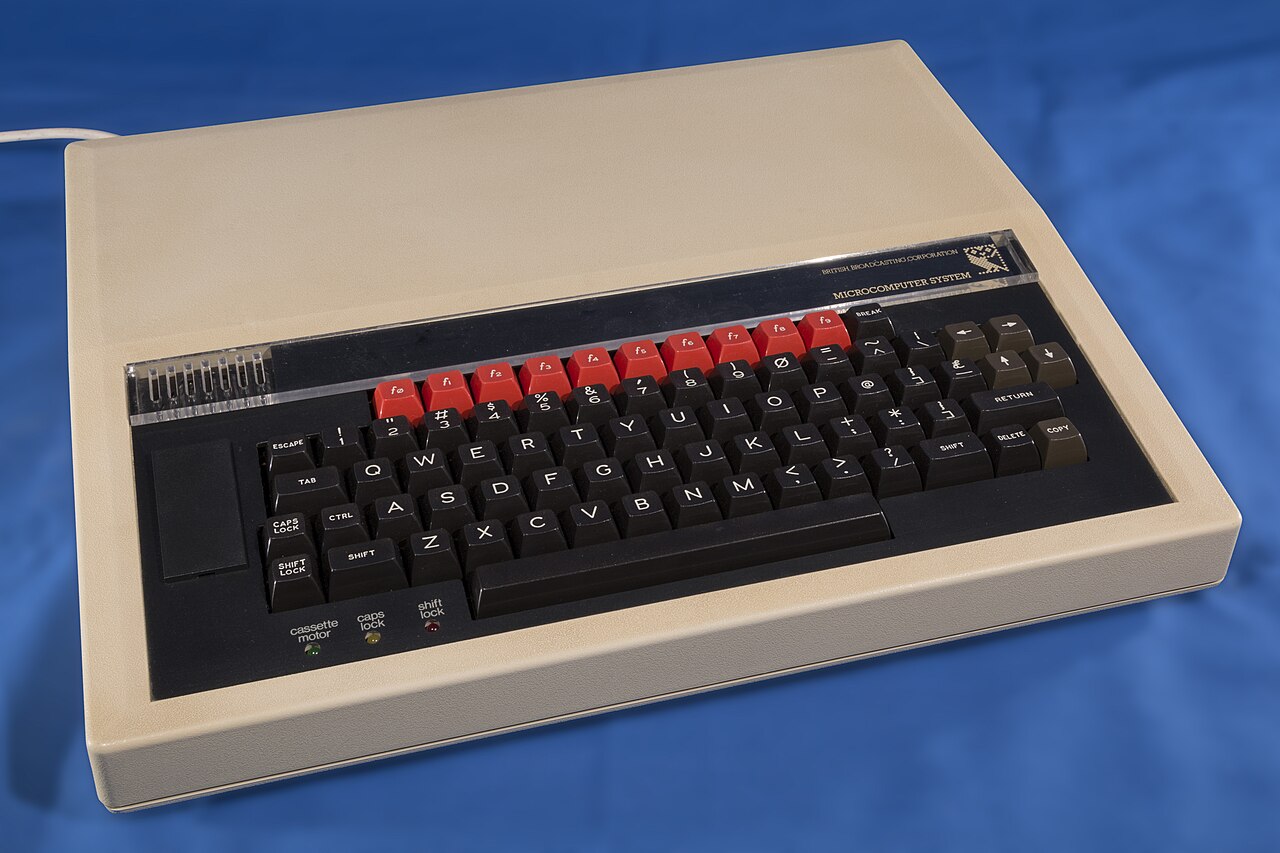
Model A and Model B
There were two versions. The Model A was the cheaper one, with 16 KB of RAM and fewer connectors. The Model B had 32 KB of RAM and the full set of ports for printers, disc drives, second processors and add-ons. Both used the same circuit board, so a Model A could be upgraded to a Model B later, and many were. The Model B quickly became the one everybody remembers, and the one schools bought.
In every school
Acorn expected to sell about 12,000 machines. In the end it sold well over 1.5 million. Government support helped schools buy them, and by 1985 around 80% of British schools had a BBC Micro. That’s why so many teachers and pupils of my age have the same memories: the same machine, the same software and the same “BBC Computer 32K” message when it switched on.
Later models
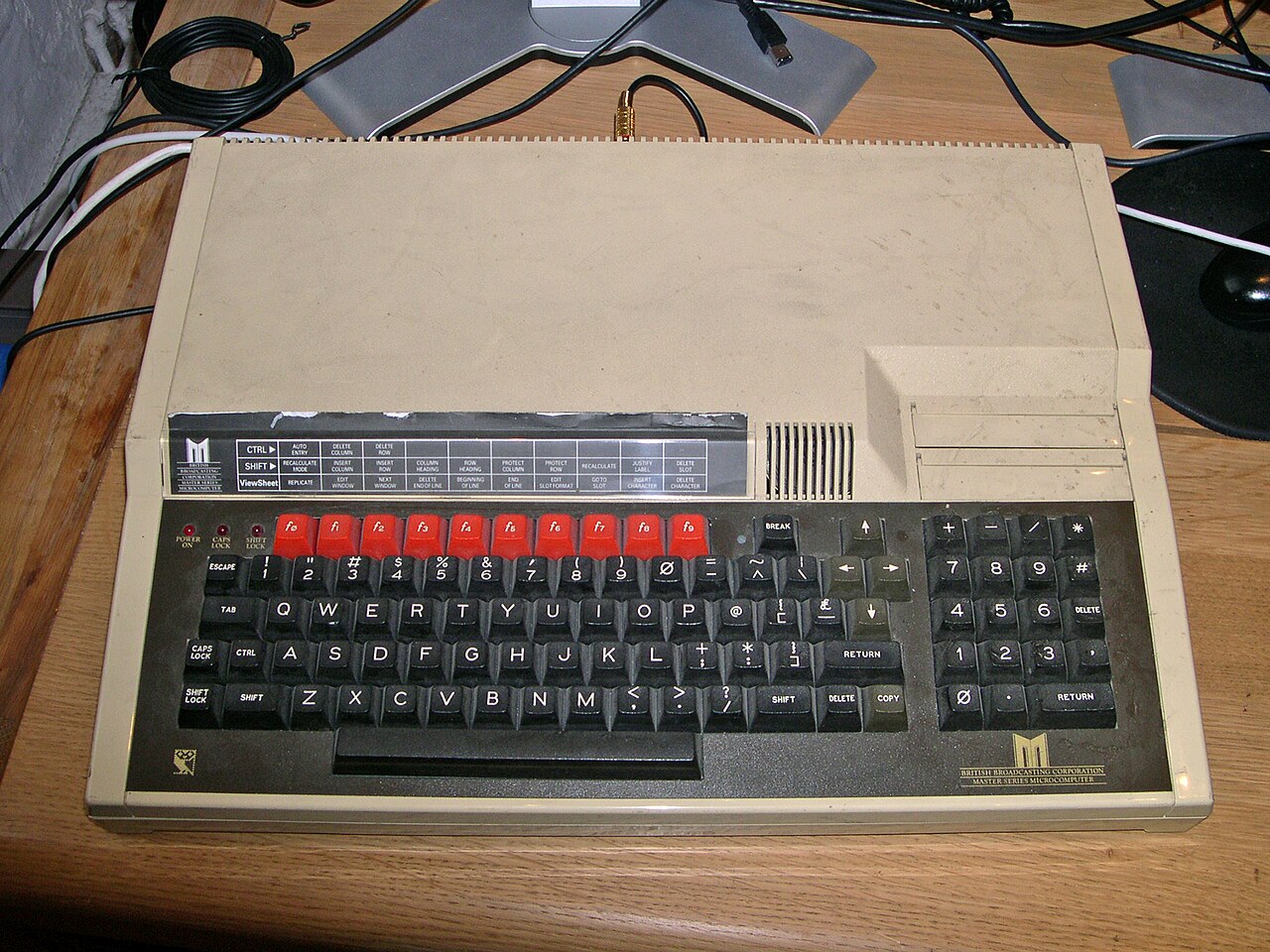
Acorn kept improving the design. The BBC Model B+ arrived in 1985 with 64 KB of RAM (and later a 128 KB version). In 1986 came the BBC Master series, starting with the Master 128, which had 128 KB of RAM, a numeric keypad and more built-in software. Masters stayed in schools well into the 1990s.
The legacy: ARM, Raspberry Pi and micro:bit
The BBC Micro’s biggest legacy is probably in your pocket. Two of the engineers behind it, Sophie Wilson and Steve Furber, went on to design Acorn’s own processor, the ARM. The first ARM chip ran in 1985, and Furber worked out how it should behave by writing a model of it in BBC BASIC, on a BBC Micro. ARM processors now power almost every smartphone and tablet in the world.
Its influence on education carried on too. Eben Upton, co-founder of the Raspberry Pi, learned to program on a second-hand BBC Micro, and he has said the Pi was inspired by the way machines like it got young people coding. In 2016 the BBC came back to the idea with the BBC micro:bit, giving around a million of them to Year 7 pupils across the UK and building on its BBC Micro legacy.
What was inside: Model A vs Model B
Here’s how the two original models compared. Remember that a modern phone has millions of times more memory than either.
| Feature | Model A | Model B |
|---|---|---|
| Processor (CPU) | MOS Technology 6502A, 8-bit, 2 MHz | MOS Technology 6502A, 8-bit, 2 MHz |
| RAM | 16 KB | 32 KB |
| ROM | 32 KB (16 KB operating system + 16 KB BBC BASIC) | 32 KB (16 KB operating system + 16 KB BBC BASIC) |
| Screen modes | Modes 4–7 only (not enough RAM for modes 0–3) | Modes 0–7: up to 640×256 in 2 colours (mode 0), 160×256 in 8 colours (mode 2), and 40×25 Teletext (mode 7) |
| Sound | Texas Instruments SN76489: 3 tone channels + 1 noise channel | Texas Instruments SN76489: 3 tone channels + 1 noise channel |
| User port (8-bit input/output) | Not fitted (dealer upgrade) | Yes |
| 1 MHz bus (expansion) | Not fitted (dealer upgrade) | Yes |
| Tube (second processor port) | Not fitted (dealer upgrade) | Yes |
| Printer port | Not fitted (dealer upgrade) | Yes (Centronics parallel) |
| Storage | Cassette (300 or 1200 baud) | Cassette as standard; optional disc interface with the Disc Filing System (DFS) |
| Networking | — | Optional Econet interface |
| Language | BBC BASIC with a built-in 6502 assembler | BBC BASIC with a built-in 6502 assembler |
| Launch price | Announced at £235, on sale at £299 | Announced at £335, on sale at £399 |
Two features made the BBC Micro special. BBC BASIC was fast and well structured for its time, with named procedures and functions, and it let you drop into assembly language inside a BASIC program by putting it between square brackets. That’s a great way to see how high-level and low-level code relate. And the Tube let you plug in a whole second processor, so the BBC Micro handled the keyboard, screen and discs while the second processor ran your program.
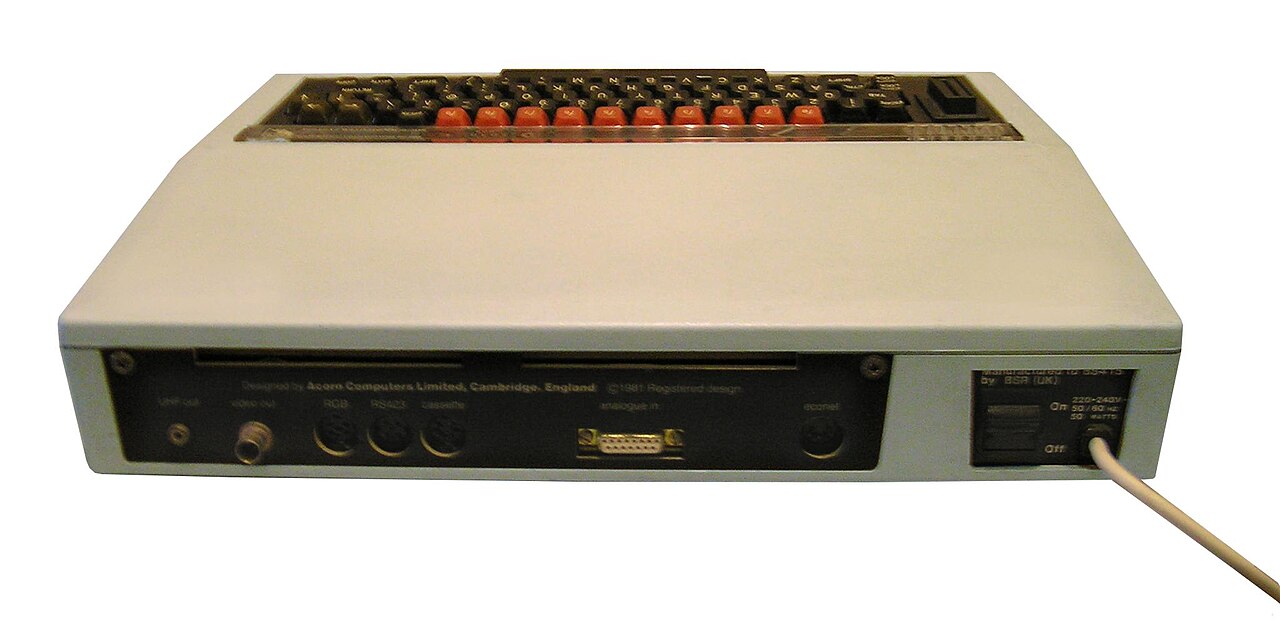
My BBC Model B today
These days I have a BBC Model B of my own. Out of the box it’s a 1980s computer, but a few upgrades bring it right up to date while keeping it a real Beeb.
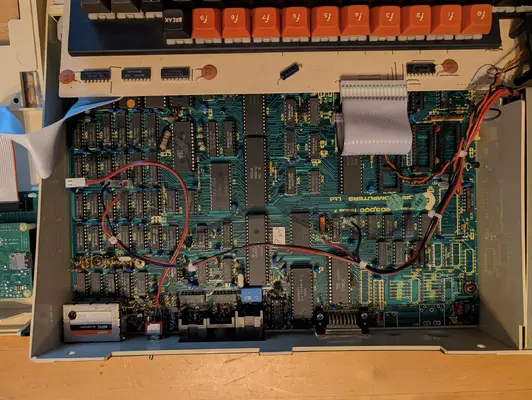
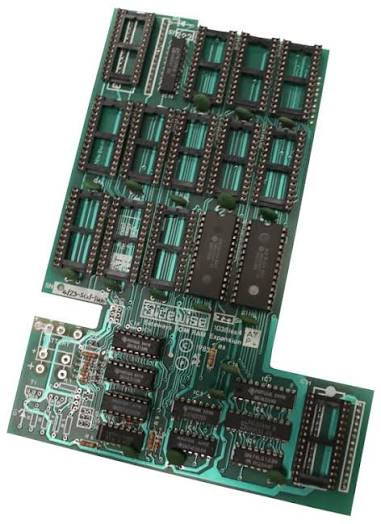
1. ATPL Sidewise: more sideways ROMs
The BBC Micro loads extra software, such as word processors, filing systems and programming languages, from sideways ROMs: chips that share one slot in the memory map and are switched in when needed. A standard Model B has only four sockets for them. The Sidewise board, made by ATPL (Advanced Technology Products) in 1983, fits inside the case and raises that to the maximum of 16 that the operating system supports. One of the sockets can also take RAM chips instead, giving up to 16 KB of sideways RAM, so you can load a ROM image from disc rather than burning a chip. With the optional battery backup, that RAM keeps its contents when the power is off.
Find out more: ATPL Sidewise at the Centre for Computing History and the Retro Kit fitting guide and manual. ATPL no longer trades, so there’s no maker’s page.
2. PiTube: a Raspberry Pi as a second processor
Back in the 1980s you could buy second processors for the Tube from Acorn, such as a faster 6502 or a Z80 for running CP/M business software, but they were expensive. PiTubeDirect is an open-source project that turns a Raspberry Pi into a second processor. The Pi connects to the Tube port through a small level-shifter board and pretends to be one of many co-processors, including the 6502, Z80, 6809, 32016, 80×86 and even an ARM2. On a Pi Zero its 6502 co-processor runs at hundreds of megahertz, far faster than the original 2 MHz, so BBC BASIC programs fly along.
It’s a neat full-circle story: a computer built on an ARM chip, the processor Acorn invented, now acts as a co-processor for the BBC Micro. PiTubeDirect was created by David Banks (hoglet67), with contributions from Dominic Plunkett and many others in the Stardot community, and is released under the GPL-3.0 licence.
Find out more: PiTubeDirect on GitHub and the PiTubeDirect wiki.
3. RetroClinic DataCentre: USB and mass storage
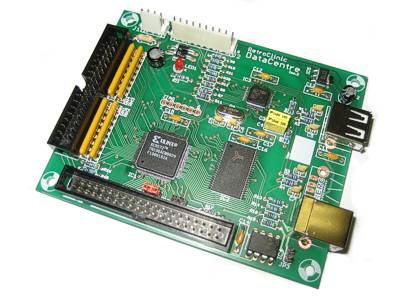
Floppy discs and cassettes are slow and wear out. The DataCentre, designed by Mark Haysman at RetroClinic, plugs into the 1 MHz bus and combines several upgrades on one board: a USB port for ordinary memory sticks, a USB port for connecting to a PC, 1 MB of RAM that works as four fast RAM discs, 64 KB of non-volatile RAM, and a 16-bit IDE interface for Compact Flash cards or hard drives. Its RamFS software can import a disc image (an .SSD or .DSD file) from a USB stick into a RAM disc, so you can download a classic program on a modern computer, copy it to a memory stick and run it on the real BBC Micro a minute later. It also works the other way, so you can save your work as a disc image to use in an emulator.
Find out more: RetroClinic DataCentre product page. RetroClinic says the DataCentre is now discontinued, so new ones are no longer available.
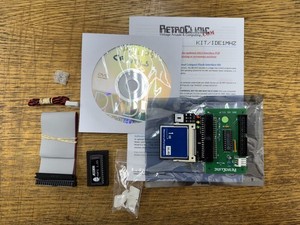
I also have RetroClinic’s CompactFlash IDE kit for the 1 MHz bus, which lets the Beeb use a CompactFlash card as a hard drive.
4. Piconet: Econet for modern computers
Given where I started, I couldn’t resist adding Econet. Piconet is an open-source board, created by jprayner on GitHub, that connects an Acorn ADF10 Econet module to a Raspberry Pi Pico. The Pico plugs into a modern Mac, Windows or Linux computer over USB, so that computer can join an Econet network and talk to BBC Micros on it. For example, its companion command-line tool, ecoclient, can copy files to and from an Econet file server. The project is still being developed, so expect it to keep improving.
Find out more: Piconet on GitHub and ecoclient on GitHub.
Try it yourself
You don’t need a real BBC Micro to have a go. I’ve put a BBC Micro emulator on this site that runs in your web browser:
Type each program in line by line, pressing Return at the end of each line, then type RUN and press Return. Type NEW before starting the next one to clear the old program.
Program 1: a counting loop
10 FOR I% = 1 TO 10
20   PRINT "HELLO FROM THE BBC MICRO! "; I%
30 NEXT I%
This is a count-controlled loop (iteration), the same idea as for i in range(1, 11): in Python. The % on the end of I% tells BBC BASIC that the variable holds an integer.
Program 2: MODE 2 colours
10 MODE 2
20 FOR C% = 1 TO 7
30   COLOUR C%
40   PRINT "COLOUR "; C%
50 NEXT C%
60 FOR L% = 1 TO 200
70   GCOL 0, RND(7)
80   MOVE 640, 512
90   DRAW RND(1280), RND(1024)
100 NEXT L%
MODE 2 switches to the 8-colour graphics mode. COLOUR sets the text colour, GCOL sets the graphics colour, and MOVE and DRAW draw lines from the centre of the screen to random points. Try changing the numbers and see what happens. That’s how most of us learned!
If you have your own BBC Micro memories, or questions about the upgrades, leave a comment below. I’d love to hear them.